Material Request via WhatsApp
Material missing? Send a photo from the warehouse or job site -- request goes out immediately.
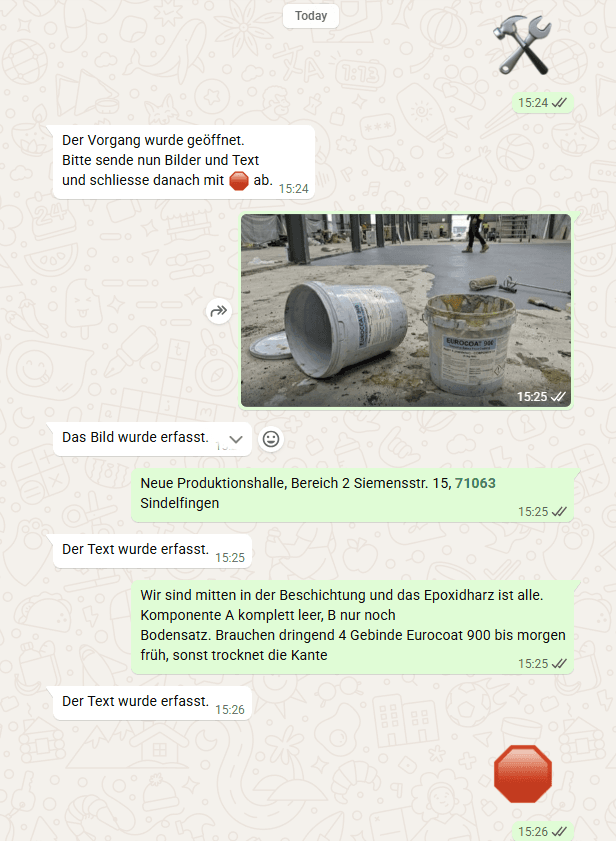
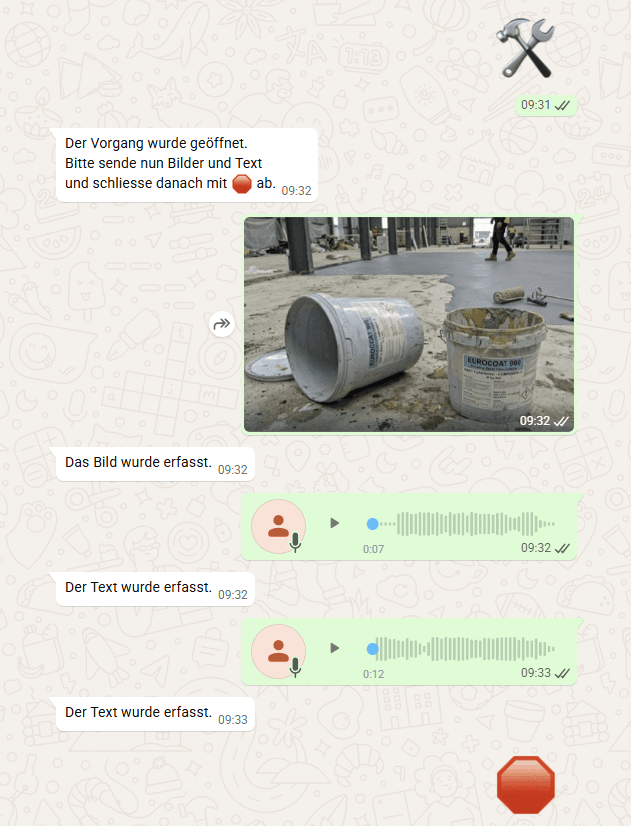
The field worker is standing in front of an empty shelf or on the job site and realizes: material is missing. Instead of calling and hoping someone writes it down, they send a photo and a voice message via WhatsApp.
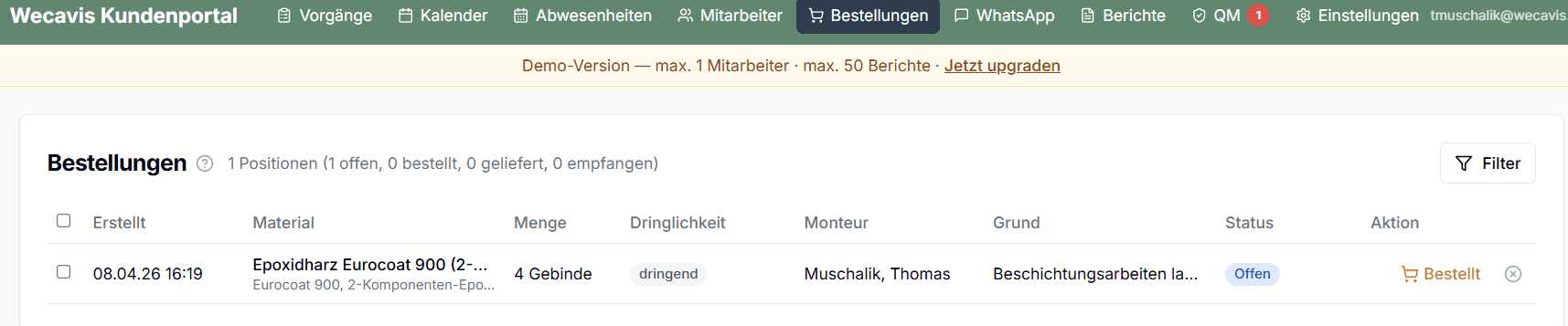
The finished material request report contains: • Photo of the required material or the empty spot • Material description and desired quantity • Project assignment (which job site needs the material) • Urgency and desired delivery date • Responsible field worker
The ordering workflow in the portal: 1. Material request arrives via WhatsApp 2. Dispatcher sees the request in the portal under "Orders" 3. Request can be reviewed, amended, and approved 4. Order is assigned to the supplier 5. Status tracking: open → ordered → delivered → received 6. All orders are assigned to the project -- for post-calculation
No follow-up questions, no forgetting. Every request lands as a structured process in the portal, assigned to the correct project.
Why this matters
Material shortages cost hours -- not because the material is unavailable, but because the request gets lost. A phone call is forgotten, a WhatsApp message is overlooked in the chat. With WECAVIS, every request lands as a structured process in the portal, assigned to the correct project. No follow-up questions, no forgetting.